Face Recognition
- 3.5
- Rating
- 10.00K
- Installs
- Free
- Price

 Analysis by App-foxy
Face recognition sounds like the kind of tool that should either be instantly useful or instantly confusing. After spending time with Face Recognition, I found it sits somewhere in between: it is a small, focused Android app from MiniAi.Live that gives curious users a direct way to explore face-recognition technology without paying for access. Its store summary is extremely brief, so the real question is not whether the idea sounds interesting, but whether this particular implementation fits your everyday needs.
My short answer is that it is best approached as a lightweight demonstration and experimentation tool rather than as a complete identity, security, or photo-management solution. That distinction matters. If you want to see how a face-recognition app behaves with ordinary images, it can be worth trying. If you need dependable biometric verification, organized face search across a large library, or professional privacy controls, I would look elsewhere.
How the app feels in its current state
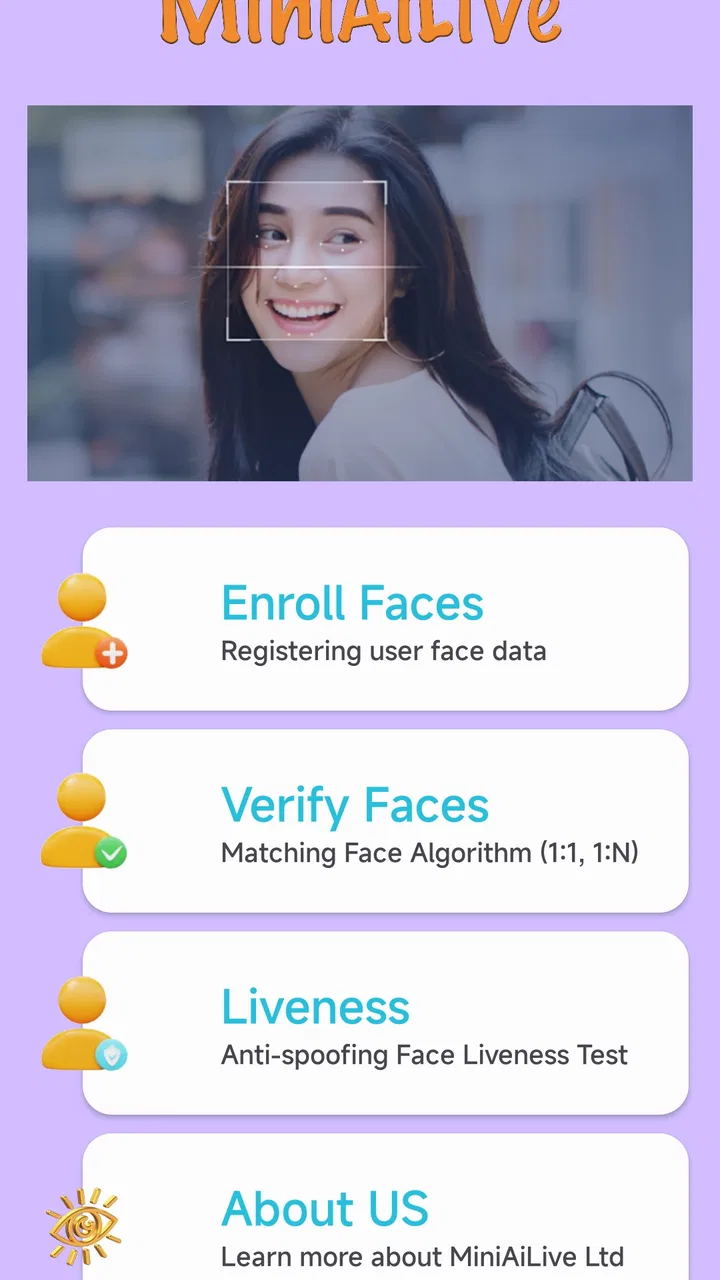
The app belongs to the Libraries & Demo section, and that placement gives a useful clue about its character. It feels more like an accessible showcase of a technology than a full productivity system. I would not install it expecting the deep controls found in specialist computer-vision software. Instead, I see it as a simple entry point for someone who wants to understand what face recognition can do from a phone.
You May Also Like

 AccuWeather: Weather Radar
AccuWeather Review: A Quick, Clear Forecast for Everyday Decisions
For everyday plans, the best forecast is the one you can understand quickly. AccuWeather makes rain timing, radar, and local conditions easy to act on, with a few trade-offs.

 Hill Climb Racing
Why Hill Climb Racing Still Turns Crashes Into One More Run
A tiny car, a bumpy hill and one more upgrade: Hill Climb Racing keeps resurfacing because its simple chaos makes every near-miss feel personal.

 AliExpress - Shopping App
AliExpress Makes Global Shopping Feel Personal, but Shoppers Bear the Risk
AliExpress turns a global marketplace into a pocket-sized discovery engine. Its reach is useful, its shopping loop compelling, and its trade-offs easy to miss.

 Lords Mobile: Kingdom Wars
Lords Mobile Is a Kingdom-Building Routine, Not a Quick Match
A case-by-case verdict on the building, battles, device demands, and social commitments that make Lords Mobile rewarding for some players and exhausting for others.

 PDF Scanner app - TapScanner
TapScanner Makes Paperwork Easier to Capture, Check, and Share
TapScanner makes scanning with a phone feel less like a rescue operation and more like a dependable step in getting work done. Its capture tools are useful, though not flawless.

 Block Blast!
 Shows How Much a Puzzle Game Can Leave Out
A quiet grid game shows why puzzle players increasingly value instant clarity, repeatable skill and low-pressure play—and where the genre still needs to catch up.
More From Our News Desk
View All News


That simplicity is both its appeal and its main limitation. A focused app is easier to approach than a large suite filled with unfamiliar menus. At the same time, a narrow interface can leave experienced users wanting more control over how images are processed, how results are interpreted, and what happens after a face is detected. The experience is therefore most satisfying when I treat each scan as an experiment rather than as a final authority.
The app is free, which removes the biggest barrier to testing it. It has an Everyone content rating, so it is positioned for a broad audience rather than a specialist or mature-user niche. It runs on Android devices using version 7.0 or later, making it accessible to people with older phones as well as newer hardware. That broad compatibility is useful for demonstrations in a classroom, a family setting, or on a spare device.
MiniAi.Live is the developer behind the app. The current version is 2.1, while the app was released on January 5, 2024. I read those details as signs of a relatively young product that has already moved beyond its first release, but not as proof that it has become a mature biometric platform. A version number can show that development has continued; it cannot by itself tell me how accurate, private, or feature-rich the experience is.
The app has an average rating of 3.5, based on around 334 ratings and 17 written reviews. That middle-ground response matches my overall impression: there is a worthwhile idea here, but it is not the kind of tool I would recommend blindly for every face-related task. The rating encourages realistic expectations rather than automatic enthusiasm.
What I would use it for
One practical use is a quick technology demonstration. Imagine showing a relative how a phone can identify visual patterns in a face, or letting a student compare a well-lit portrait with a difficult image. The app can make an abstract concept feel concrete. Instead of explaining face recognition only with diagrams, I can use an actual phone and discuss why a clear, front-facing image is easier for software to process than a dark, angled, or partially covered face.
I also see value for developers and hobbyists who want a quick reference point before committing to a larger project. It can help frame questions about the user experience: How should a result be presented? How much guidance does a person need before taking a useful image? What happens when the input is ambiguous? Even if the app does not answer every technical question, using it can reveal the difference between a convincing demo and a dependable application.
A less obvious use is testing your own assumptions about recognition technology. People often expect a system to behave like human vision, but face-recognition tools can be sensitive to lighting, pose, image quality, and obstruction. I would deliberately try a small set of varied images rather than only a perfect portrait. That turns the app into a learning exercise and helps prevent overconfidence in a single successful result.
For an everyday scenario, consider a family sorting old digital photos. I might open a few images to see how a recognition tool handles group shots, side profiles, or faces partly hidden by sunglasses. The useful outcome is not necessarily a perfectly organized library. The value is learning whether the app can assist with that kind of task at all, and where I would still need manual sorting.
How version 2.1 changes the way I judge it
The move to version 2.1 is relevant because it shows the product is not frozen at its initial release. Still, I would separate that verified product evolution from any expectation that a later version automatically solves every weakness. The current release is the one I would evaluate today, while future improvements remain something to watch rather than something to promise.
For existing users, a newer version can make the app feel more current than an untouched first release, but the practical effect depends on what they personally need. Someone who only wants a quick demonstration may be satisfied with a straightforward workflow. Someone who expected a complete facial-analysis toolkit may still find the experience limited, even after moving to the current build.
I also think the version number should encourage users to retest rather than assume. If you previously tried the app and disliked it, it may be reasonable to give the current release another look. I would compare the same types of images under similar conditions so that my judgment is based on the app rather than on a lucky or unlucky photo. That is a better way to assess change than relying on a single result.
There is another important point: an updated app is not necessarily a more trustworthy app for sensitive decisions. Face recognition involves personal images, and technical improvement does not remove the need for caution. I would avoid treating a result as proof of identity, especially when the consequences involve access, accusations, employment, school discipline, or personal safety. A free demonstration app should not become the sole basis for a serious decision.
Where it compares with familiar alternatives
The most obvious alternative is the face grouping already found in many photo-management services. Those tools are usually more convenient when the goal is to organize a large personal library, because they are built around albums, search, and long-term photo browsing. I would choose that kind of service for routine photo management. I would choose Face Recognition when I want a smaller, more direct experiment without adopting an entire photo ecosystem.
Another alternative is a device’s built-in face unlock or biometric authentication. That is a different category of experience. Built-in security features are designed around access control and the phone maker’s hardware and software environment. This app is better understood as a demonstration or recognition experiment, not as a replacement for a security feature that protects a device.
There are also professional computer-vision platforms and developer libraries. They offer more room for integration, testing, and customization, but they demand more technical knowledge and usually involve a more complicated setup. For a beginner, that complexity can hide the basic idea. This app’s advantage is approachability; the trade-off is that it is unlikely to satisfy someone who needs a configurable development tool.
Manual photo sorting remains a surprisingly strong alternative. If I only have a modest number of images, opening them myself may be faster and more predictable than learning the boundaries of a recognition app. Automation becomes more attractive as the collection grows, but only if the results are reliable enough to save time. With Face Recognition, I would test that assumption before reorganizing an important archive around it.
Small habits that make testing more useful
The first habit I recommend is to begin with controlled examples. Use a clear, evenly lit portrait first, then change one factor at a time: turn the face slightly, reduce the light, add glasses, or include another person. This is more informative than feeding the app a random mixture of difficult images. It helps you understand whether a surprising result comes from the app or from the image itself.
The second is to keep recognition and identification separate in your mind. Detecting that a face is present is not the same as correctly identifying a person. Even if the app produces a confident-looking result, I would treat it as an indication to review, not as unquestionable evidence. This distinction is especially important when using images of people who have not agreed to be part of an experiment.
The third is to use a disposable test set before involving a personal archive. A few ordinary images are enough to learn the workflow. I would not begin by handing over a large collection of family photographs or sensitive pictures. This approach reduces privacy exposure and makes it easier to stop if the experience does not meet expectations.
A fourth useful technique is to compare results across image types without trying to force a conclusion. Group photos may reveal whether the app handles more than one face comfortably. Older, compressed pictures can show how much image quality matters. Cropped portraits can help you decide whether the app is suitable for a particular project. These tests are not a formal accuracy study, but they provide practical knowledge that a short store description cannot.
Finally, I would avoid using a single successful scan as a reason to trust the app with high-stakes work. Face recognition can feel impressive when it works, and that emotional reaction can make its limitations easy to overlook. The safest workflow is to use it for learning, exploration, and low-consequence assistance, while keeping human review in the loop.
What may frustrate new users
The biggest source of friction is likely to be the gap between the name and the expected scope. “Face Recognition” sounds broad enough to suggest face search, identity matching, attendance tracking, or security features. In practice, I would not assume any of those workflows without seeing them clearly in the app itself. The product is easier to appreciate when approached as a focused demo instead of a complete facial-management suite.
Another limitation is that recognition results should not be judged without considering the input. A face that is small in a group image, hidden by a hat, turned away, or poorly lit gives the software less visual information. If the app struggles in those situations, that does not automatically make it useless, but it does reduce its value for casual photo organization. Users who want effortless sorting of every image will probably prefer a more established photo platform.
I would also be cautious about installing it on a device used by children simply because the age rating is Everyone. An age rating describes suitability for general audiences; it does not replace a conversation about sharing faces, taking pictures of other people, or experimenting with biometric technology. For a classroom or family demonstration, I would make consent and respectful use part of the activity.
Privacy is another area where I would take a careful approach. Before using personal images, I would read the app’s current permission prompts and privacy information directly on the device or in the relevant store materials. I would grant only what is necessary for the task, avoid testing with sensitive images at first, and remove access later if I no longer need it. That is sensible practice for any app handling faces, regardless of whether it is free.
Who should try it and who should skip it
I would recommend trying it to curious Android users, students, educators, hobbyist developers, and anyone who wants a simple introduction to face-recognition behavior. The free price makes experimentation easy, and support for Android 7.0 or later means the app is not restricted to recent phones. It is also a reasonable choice for a quick demonstration where the goal is understanding the concept rather than building a permanent workflow.
I would be more hesitant to recommend it to professional photographers, large-library organizers, security-conscious businesses, or developers seeking a production-ready recognition system. Those users need dependable organization, transparent controls, repeatable results, and a clearly defined operating model. A focused Libraries & Demo app is not the first place I would look for those requirements.
People who dislike testing and adjustment should probably skip it as well. The best experience comes from observing how different images behave and accepting that recognition is not magic. If you want an app that quietly organizes years of photographs with minimal involvement, a mature photo-management alternative is likely a better fit.
What I would watch as the app develops
For future versions, I would watch for clearer guidance around image handling, more transparent explanations of results, and workflows that help users understand the difference between detecting a face and matching one. Those improvements would make the app more useful without changing its approachable character.
I would also look for practical controls rather than a long list of flashy additions. The most valuable progress would be a smoother way to test several image conditions, clearer feedback when an image is unsuitable, and better support for reviewing uncertain results. Those details matter more to me than simply adding more labels or making the interface look busier.
Existing users should judge future updates by repeatable improvements in their own workflow. Try the same types of images after updating, note whether the app gives clearer feedback, and decide whether it saves time for your specific purpose. That approach keeps expectations grounded and separates genuine progress from the excitement of a new version number.
After using it, I see Face Recognition as a useful low-commitment introduction to a complicated subject. Its current release, free access, broad age rating, and older Android compatibility make it easy to explore. The app’s strongest quality is its focused nature, while its main weakness is that a focused demonstration should not be mistaken for a complete biometric or photo-management solution.
My recommendation is to try it with ordinary, non-sensitive images and modest expectations. If your goal is to learn how face recognition behaves, compare different photo conditions, or start a conversation about computer vision, it can be worthwhile. If your goal is dependable security, large-scale organization, or professional identity matching, choose a tool designed specifically for that job instead.
FAQs for Face Recognition
01What is the main function of a face recognition app?
Face recognition apps primarily serve to identify or verify a person's identity using their facial features. These apps use advanced algorithms and machine learning to map facial details, which can be used for security purposes, unlocking devices, or even tagging people in photos. They are increasingly used in both personal and professional settings.
02How secure are face recognition apps?
While face recognition apps can offer enhanced security by ensuring that only authorized users can access certain data or features, their security largely depends on the technology used and the developer’s commitment to privacy. Users should look for apps with strong encryption and read privacy policies to understand how their data is stored and used.
03Are face recognition apps compatible with all devices?
Not all devices support face recognition apps due to hardware limitations. Many apps require devices with specific sensors and cameras designed to capture detailed facial data. Users should check the app’s compatibility requirements to ensure their device can support the app’s functions before downloading.
04Can face recognition apps work in low light conditions?
Some advanced face recognition apps are designed to work in low-light conditions by using infrared technology or other methods to enhance visibility. However, performance can vary significantly between apps, so users should test the app in various lighting conditions to ensure it meets their needs.
05Do face recognition apps require internet connectivity to function?
Whether a face recognition app requires internet connectivity depends on its design. Some perform all processing locally on the device, while others may need to connect to a server for analysis. Users should read app descriptions to understand these requirements, especially if data privacy or offline functionality is a priority.
Pros
- Highly accurate face detection.
- Fast processing speed.
- User-friendly interface.
- Secure data encryption.
- Customizable settings.
Cons
- Requires high-quality images.
- Limited offline functionality.
- Battery consumption can be high.
- May struggle with low light.
- Privacy concerns for some users.

Face Recognition
Gallery